
Your people ask, the assistant answers from your own documents – on your own server, with the AI provider of your choice or with models on your own hardware. One installation serves several companies, each with a database of its own.
Free (MIT licence) Runs on your own server Any provider or your own models
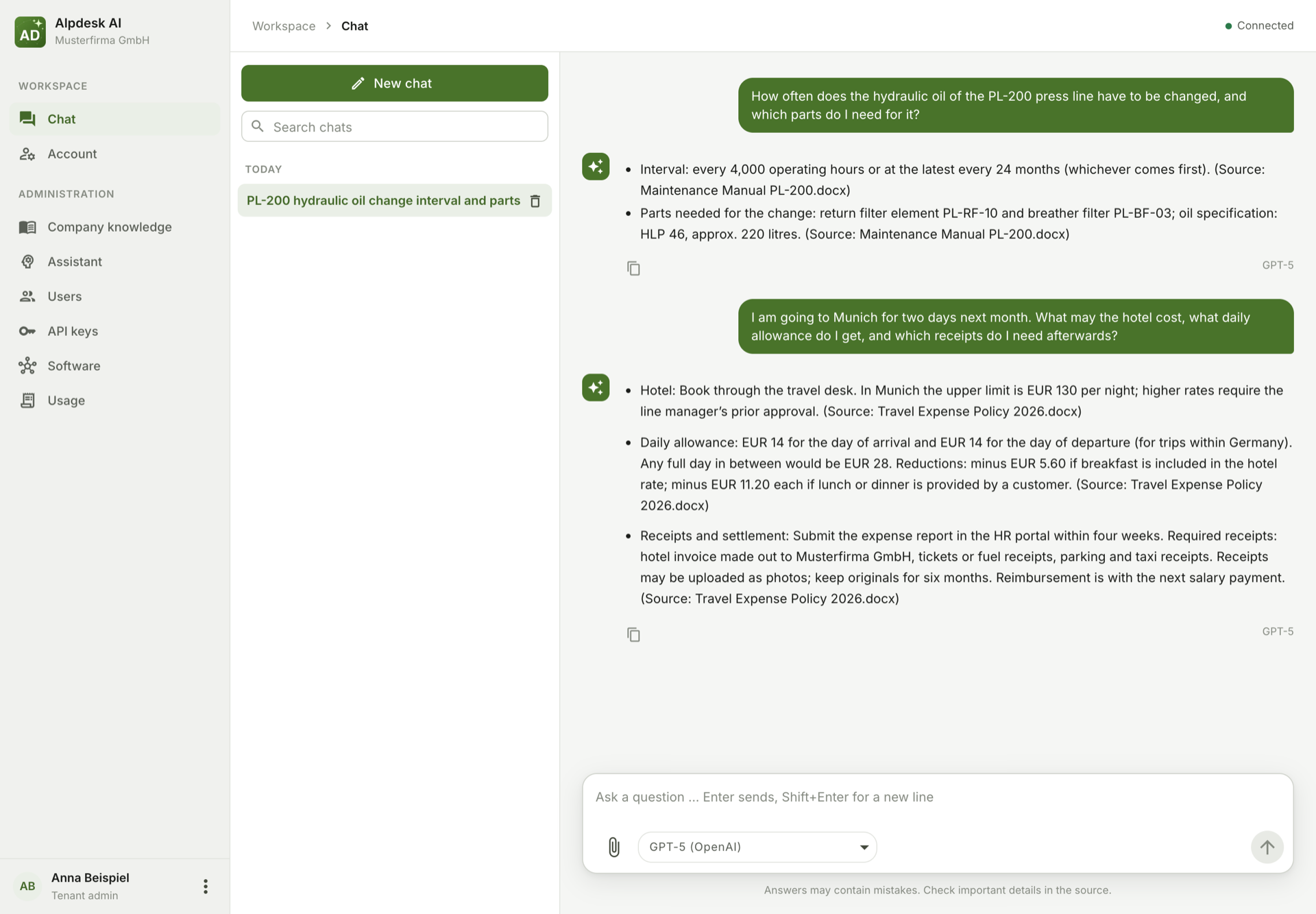
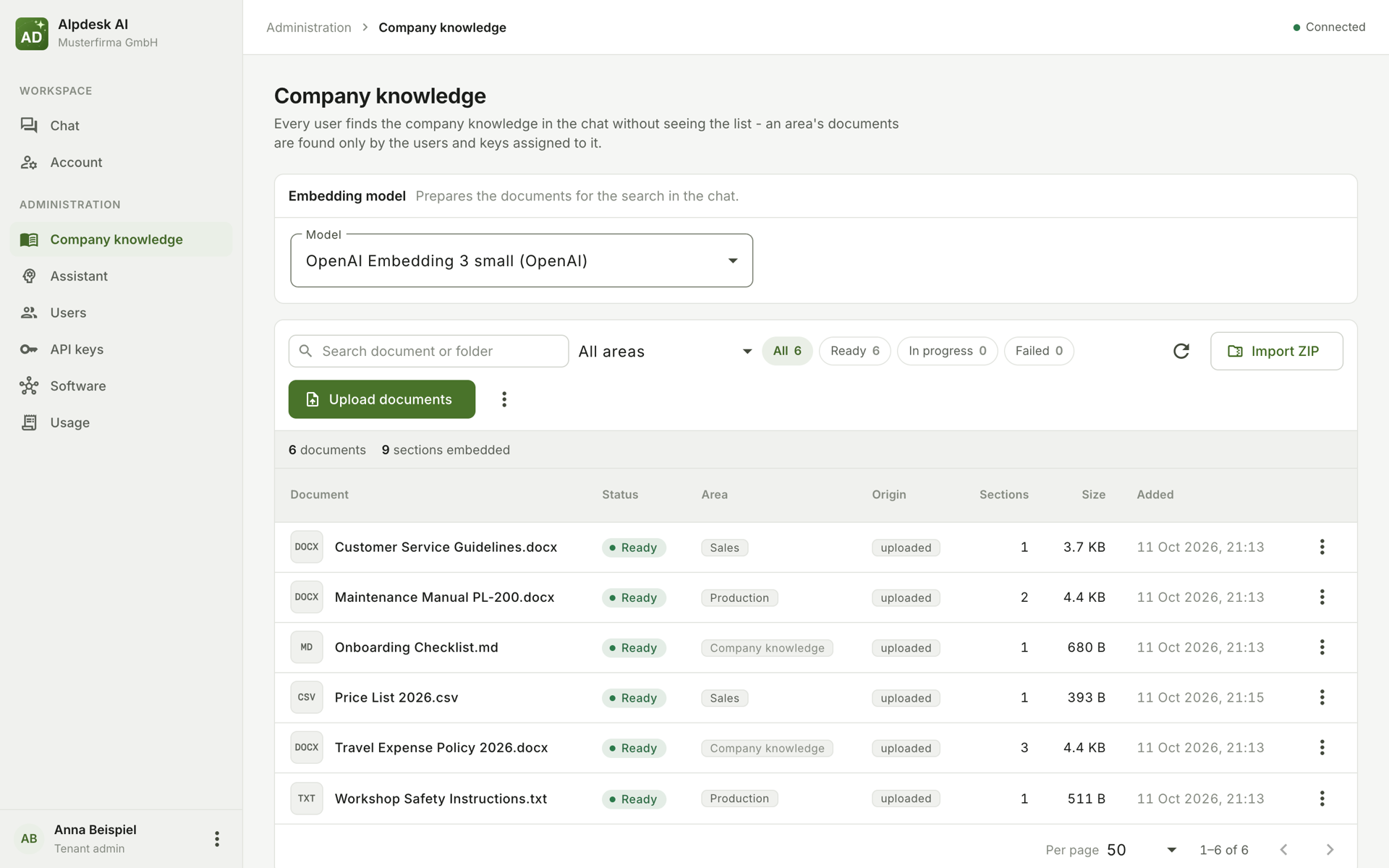
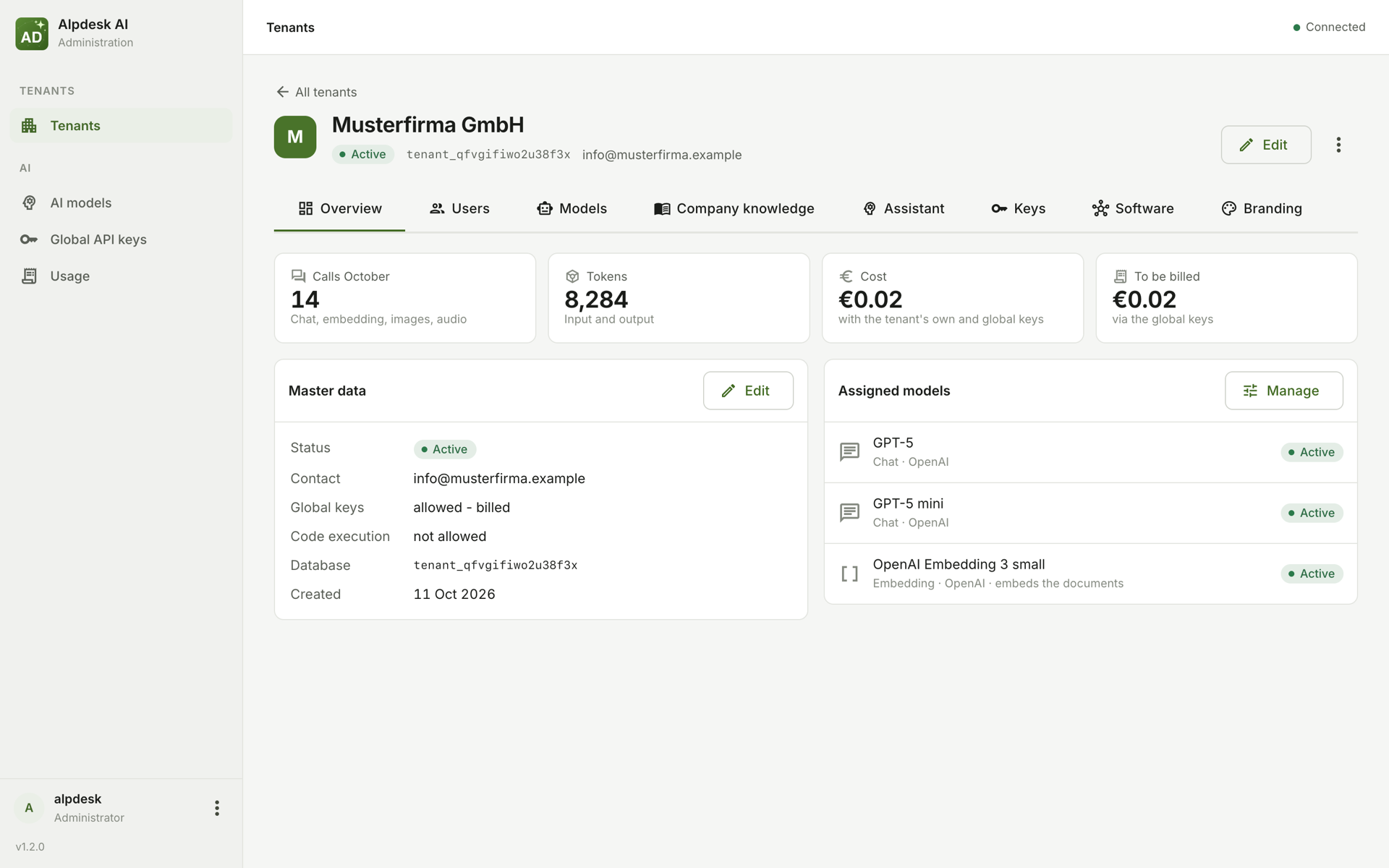
Invented example data, answers by GPT-5.
Every company has its knowledge spread over manuals, procedures, price lists, contracts and spreadsheets. Alpdesk AI reads them, and every employee simply asks in the chat – the assistant finds the right passages and answers with them, without anyone having to know where a document lies.
It is built for several companies on one installation: an operator runs it and sets up the companies (tenants). Each gets its own database for its documents and chats, its own users and its own admins, who keep the company's knowledge, the assistant's instructions and an eye on the usage. A craftsman's business, an industrial company or a service provider uses it alike – nothing in it is made for one trade.
Alpdesk AI is one container next to PostgreSQL, behind Caddy, which fetches the certificate itself. The documents stay on your server; they go only to the AI provider you choose for answering – or nowhere at all, with models on your own hardware.
Alpdesk AI does not bring an AI model of its own. It works with the models you configure: Anthropic, OpenAI or Gemini with your own keys, or your own model servers through Ollama or any OpenAI-compatible server. Whoever runs an installation for others is responsible for it – read the security notes and the privacy overview first.
Documents one by one, as a ZIP archive with folders, or pushed by the company's software – PDF, Word, PowerPoint, Excel, OpenDocument, Markdown, HTML, CSV; images and scanned pages through an image model. Knowledge areas decide who finds what.
Files in the conversation – text, images, scans, audio and video – and answers that create files themselves: Word, Excel, PDF, CSV. Chat templates for recurring questions.
Anthropic, OpenAI and Gemini with the company's own keys or the operator's, then billed per call. Or models on your own hardware through Ollama, vLLM or any OpenAI-compatible server.
The company's software uses a documented API with its own key. Over MCP the chat calls its tools – reading ones directly, changing ones only after the user decided – and Claude Code or Copilot can ask the assistant.
The assistant can run code on the question's files – evaluate a spreadsheet, convert data, draw a chart – in a container of the company's own, without network, without root.
Tenants with their own databases, a model catalog with prices, usage per user and model, single sign-on through a WAM proxy, and name, colour and logo per installation and per company.
A Linux server with Podman (or Docker), a domain pointing at it and the ports 80 and 443 – that is all. The images come from the GitHub Container Registry:
git clone https://github.com/xprojects-de/alpdesk-ai.git
cd alpdesk-ai
cp .env.example .env    # set the domain, the admin login and the secrets
podman-compose -f docker-compose.prod.yml up -d
An update is git pull and the same compose command. Where the documents must not leave the
house, an optional image brings Ollama with an embedding model built in – it needs no internet once
pulled.
Everything else is in the project on GitHub: the installation and update, the configuration, backups, own model servers, code execution and Kubernetes – and a document of its own about what is stored where and what leaves the server.
Questions, bugs and wishes – especially from real use – are welcome as an issue in the repository. Security findings please not there, but as described in the security notes.
Every release carries its source code under the MIT license, as a ZIP on the releases page – to read, build and check. Changes to it are not taken for now.